Bidease uses two AppsFlyer instruments for passing cost data:
- InCost API - used as the main instrument for passing cost data;
- Cost Import - used as the main instrument for fixing cost data, if needed.
There are a few major points you should know:
1. Both methods are available only if ROI360 is enabled in your AppsFlyer account.
2. Both methods should be enabled if you want to receive cost data correctly.
3. After you enable both instruments, please inform your Bidease CSM, as we need to enable the integration on our side.
Turning on InCost API
In the AppsFlyer dashboard, while viewing the app of your choice, open the sidebar and go to Settings -> ROI360 -> Cost Settings.

On the Cost Settings page, click the New Integration button.

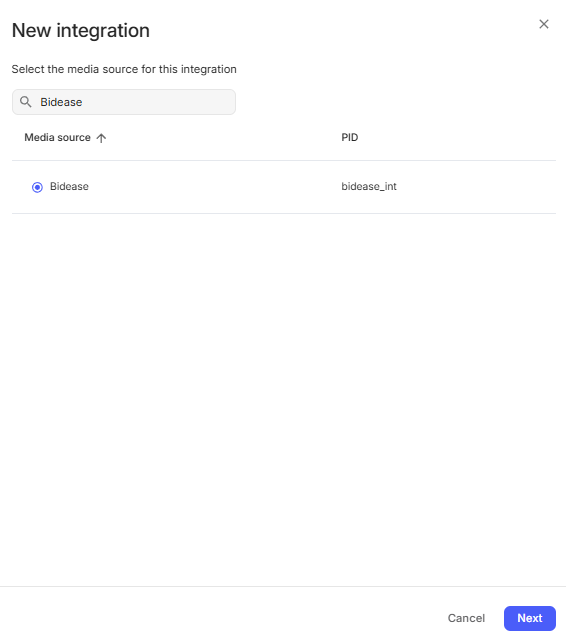
In the window that appears, search for the Bidease partner or for the bidease_int PID. Select it and click Next.
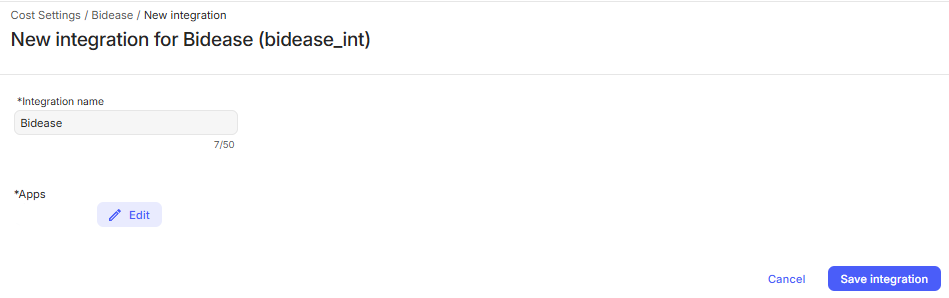
On the page that opens, configure the new integration:
- Use Bidease as the integration name, or any other value.
- Select the apps for which you want to enable the integration, or select all apps.
- After you are done configuring the integration, save it.
Turning on Cost Import
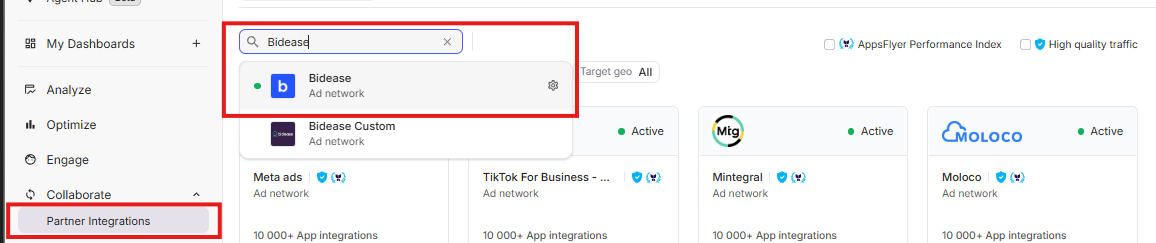
In the AppsFlyer dashboard, while viewing the app of your choice, open the sidebar and go to Collaborate -> Partner Integrations. Find the Bidease partner and click on it. This will redirect you to the integration management section.
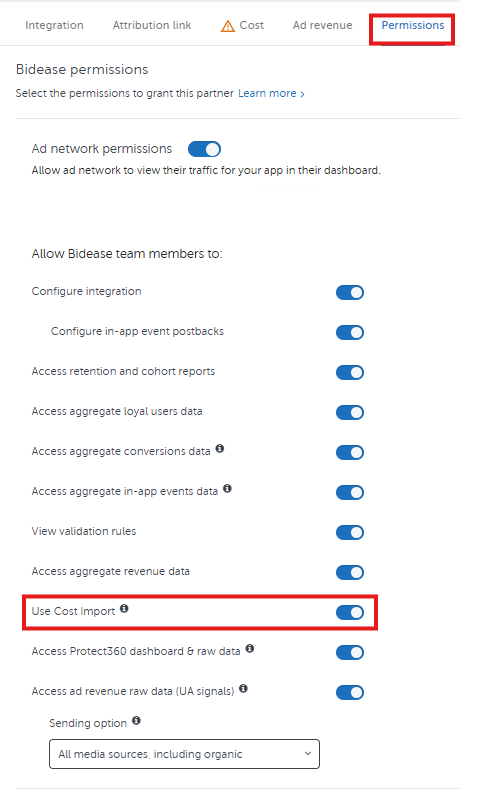
Go to the Permissions tab and toggle on Use Cost Import.
After you are done configuring the integration, save it.
Was this article helpful?
That’s Great!
Thank you for your feedback
Sorry! We couldn't be helpful
Thank you for your feedback
Feedback sent
We appreciate your effort and will try to fix the article