

AppsFlyer Postbacks Configuration

Modified on Mon, 28 Sep at 3:21 PM

bideaseSETUP GUIDE
A step-by-step guide for advertisers to connect AppsFlyer postbacks to Bidease, so campaigns optimize on your install and in-app event data.
◎
ClickID is essential
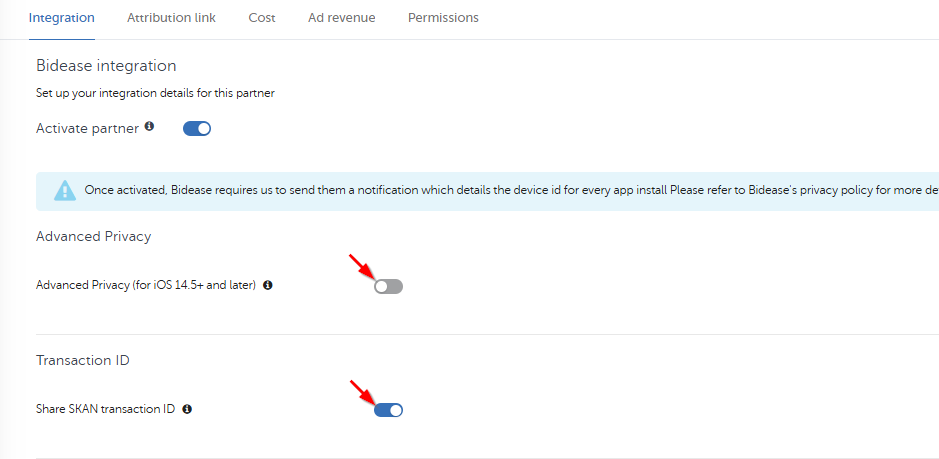
Turn Advanced Privacy off on iOS so default postbacks carry the clickid Bidease optimizes on.
⇆
Share all sources
Send installs and events from all media sources, including organic, for suppressions and ML.
◉
View-through on
Enable install view-through attribution so post-view installs are credited to Bidease.
STEP-BY-STEP SETUP
5 Steps to Go Live
1
Open your app in AppsFlyer

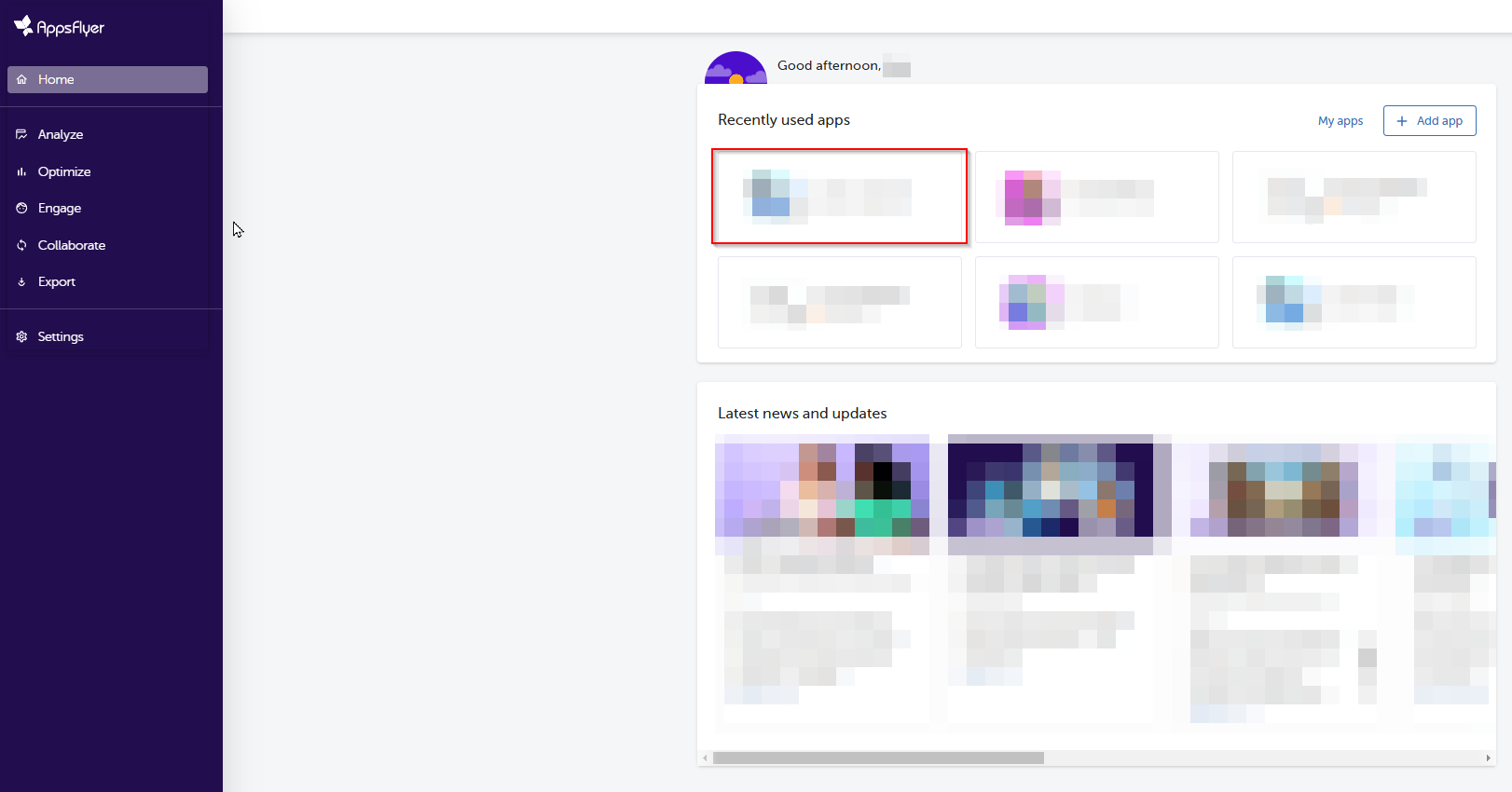
Sign in to AppsFlyer and click on the app of your choice.

AppsFlyer app list
2
Find Bidease in the Partner Marketplace

Open the integration settings for Bidease.

■
Go to Partner Marketplace in the sidebar menu
■
Type Bidease into the search bar
■
Click the gear icon to open Manage Integration for Bidease
Partner Marketplace search
3
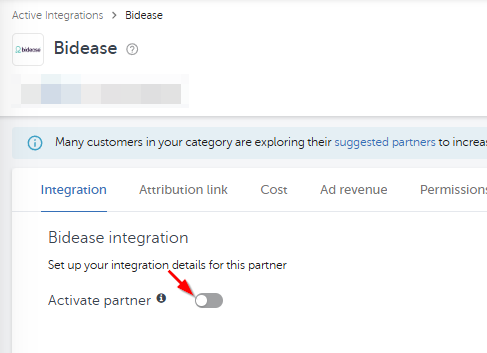
Activate the partner

On the Integration tab, toggle on Activate Partner and proceed to the main configuration.

Activate Partner toggle
4
Configure the integration settings
⚠️
Configure exactly as below. These settings directly affect Bidease's optimization processes.
SettingSet toWhy it matters
Advanced Privacy (iOS 14.5+)iOSOffLets Bidease receive default postbacks, including the clickid used for campaign optimization and ML.
Share SKAN Transaction IDiOSOnHelps Bidease work with SKAN traffic more precisely.
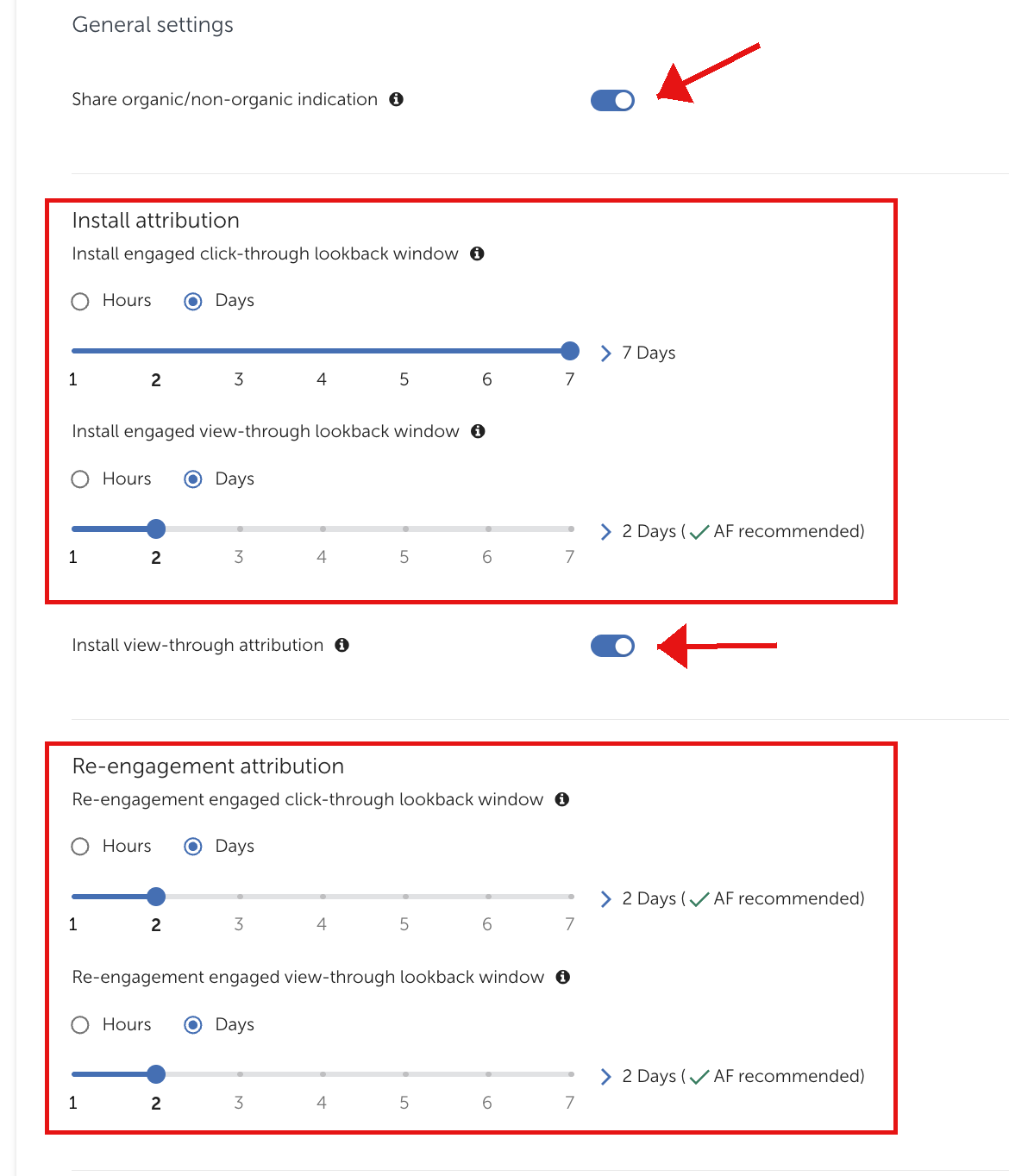
Share organic/non-organic indicationOnHelps Bidease separate NAD traffic.
Engaged click-through / view-through window2 days (default)Attribution window for installs credited to Bidease.
Install view-through attributionOnAllows Bidease to deliver installs from post-view attribution.
Re-engagement attribution windowAs neededOnly if you are launching a re-engagement campaign.
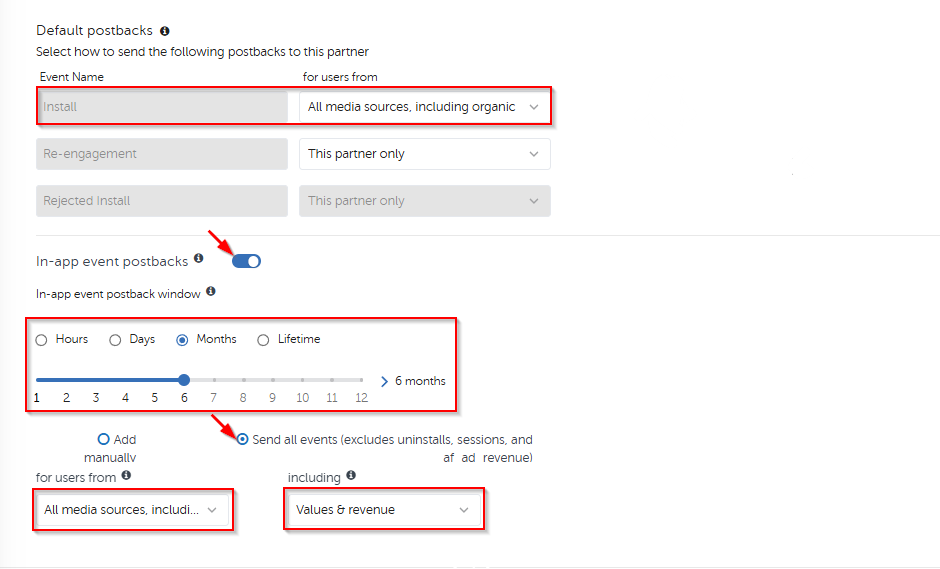
Default PostbacksAll media sources, including organicSuppressions & ML: non-attributed data lets Bidease exclude existing users and train models.
In-app events attribution window6 months (default)Attribution window for in-app events credited to Bidease.
In-app Event PostbacksSend all events + All media sources, including organic + Values & revenueSuppressions & ML: non-attributed data lets Bidease exclude existing users and train models.
Integration settings
Default postbacks
In-app event postbacks
5
Save the integration

When you are finished and have reviewed the integration, click Save Integration.

ⓘ
Running both iOS and Android? Repeat these steps for each app in AppsFlyer.
bidease
Grow Your App with Ease
Questions? Contact your Bidease account manager
support@bidease.com

Was this article helpful?

That’s Great!

Thank you for your feedback

Sorry! We couldn't be helpful

Thank you for your feedback

Let us know how can we improve this article!

Select at least one of the reasons
CAPTCHA verification is required.

Feedback sent

We appreciate your effort and will try to fix the article