


AppMetrica / NAD Sharing

Modified on Wed, 4 Nov at 6:15 AM

bideaseSETUP GUIDE
A step-by-step guide for advertisers to share non-attributed (NAD) install and in-app event postbacks with Bidease in AppMetrica.
⇆
Non-attributed data
NAD postbacks send installs and events from all sources to Bidease.
✎
Copy the template URL
Each postback reuses the URL from Bidease's non-attributed postback template.
★
One postback per event
Create a separate NAD postback for each in-app event.
STEP-BY-STEP SETUP
4 Steps to Go Live
1
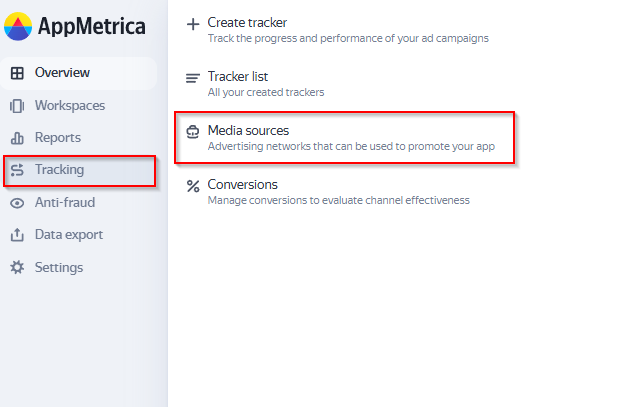
Open Media Sources

Sign in to AppMetrica and go to Tracking → Media Sources.

Media Sources
2
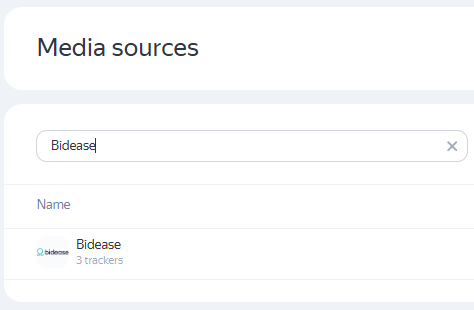
Find Bidease

Click Find partner, search for Bidease and click it.

Find partner
3
Share NAD install postbacks
■
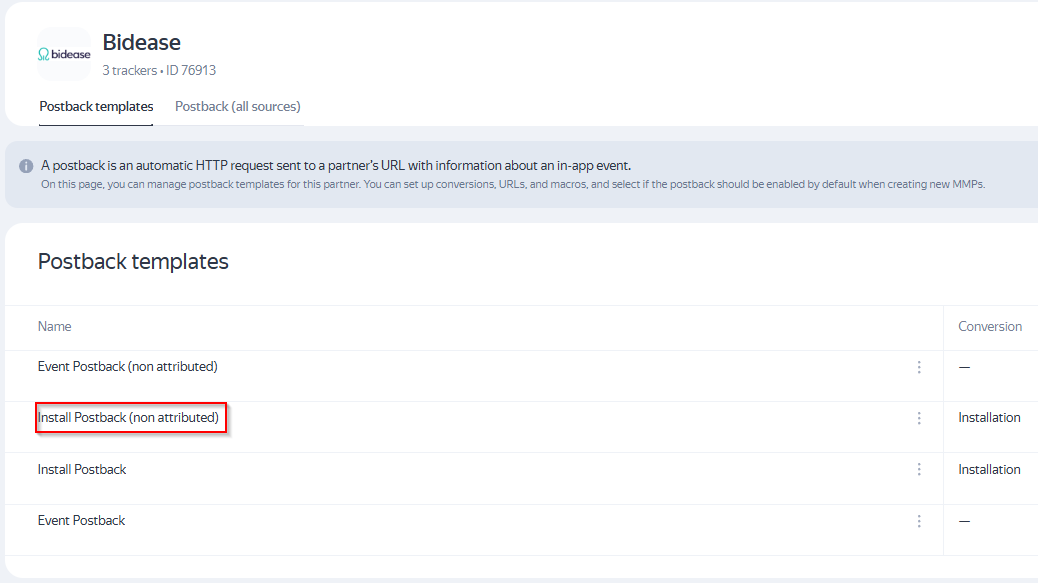
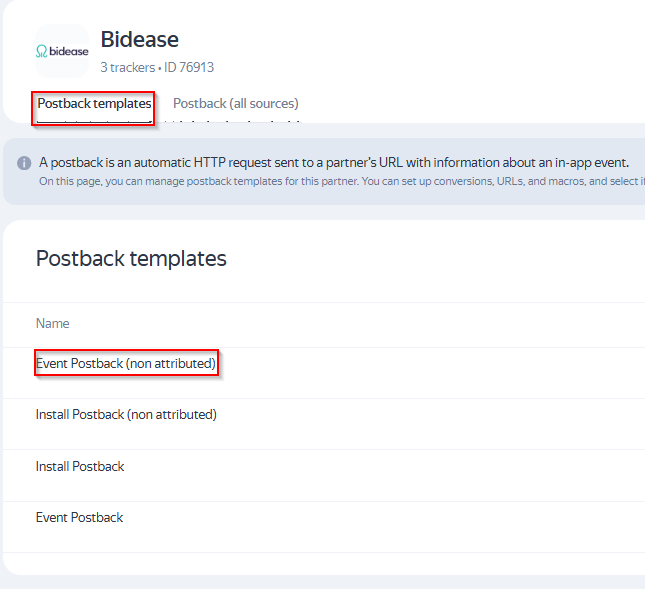
On the Postback templates tab, click Install Postback (non-attributed)
Install Postback (non-attributed)
■
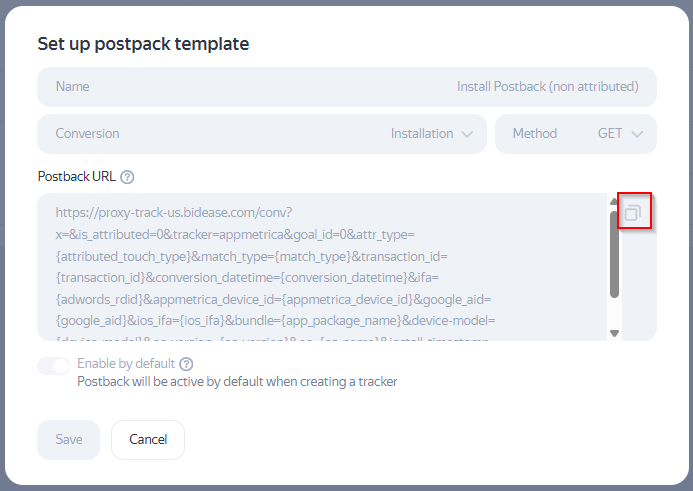
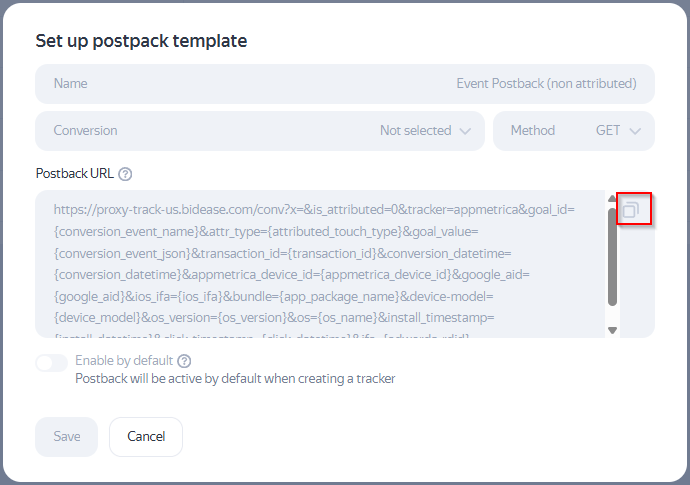
Copy the Postback URL
Postback URL
■
Go to the Postback (all sources) tab and click Create
Postback (all sources)
■
Configure the postback:
FieldValue
NameNAD Installs
ConversionInstallation
MethodGET
Postback URLPaste the URL you copied
NAD install postback
■
Click Save
4
Share NAD in-app event postbacks
■
Go back to the Postback templates tab and click Event Postback (non-attributed)
Event Postback (non-attributed)
■
Copy the Postback URL
Postback URL
■
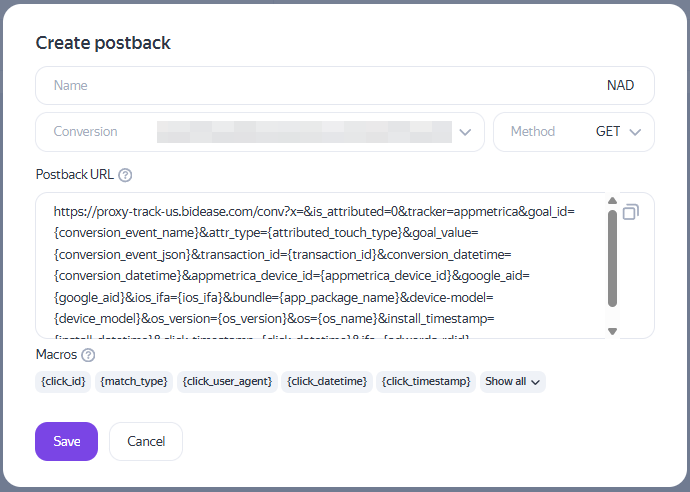
Go to the Postback (all sources) tab and click Create
Postback (all sources)
■
Configure the postback:
FieldValue
NameNAD EVENTNAME (replace EVENTNAME with the name of the in-app event you want to share with Bidease)
ConversionThe in-app event you want to share with Bidease
MethodGET
Postback URLPaste the URL you copied
NAD event postback
■
Click Save
ⓘ
More than one event? Repeat Step 4 for each additional event.
bidease
Grow Your App with Ease
Questions? Contact your Bidease account manager
support@bidease.com

Was this article helpful?

That’s Great!

Thank you for your feedback

Sorry! We couldn't be helpful

Thank you for your feedback

Let us know how can we improve this article!

Select at least one of the reasons
CAPTCHA verification is required.

Feedback sent

We appreciate your effort and will try to fix the article