


Adjust / Data Sharing

Modified on Wed, 4 Nov at 5:31 AM

bideaseSETUP GUIDE
A step-by-step guide for advertisers to share install and event data with Bidease in Adjust.
⇆
All attribution sources
Share data from all attribution sources, including non-attributed installs.
★
All in-app events
Share all available in-app events, or configure individual ones.
◉
Better performance
Sharing non-attributed data directly affects campaign performance.
STEP-BY-STEP SETUP
6 Steps to Go Live
1
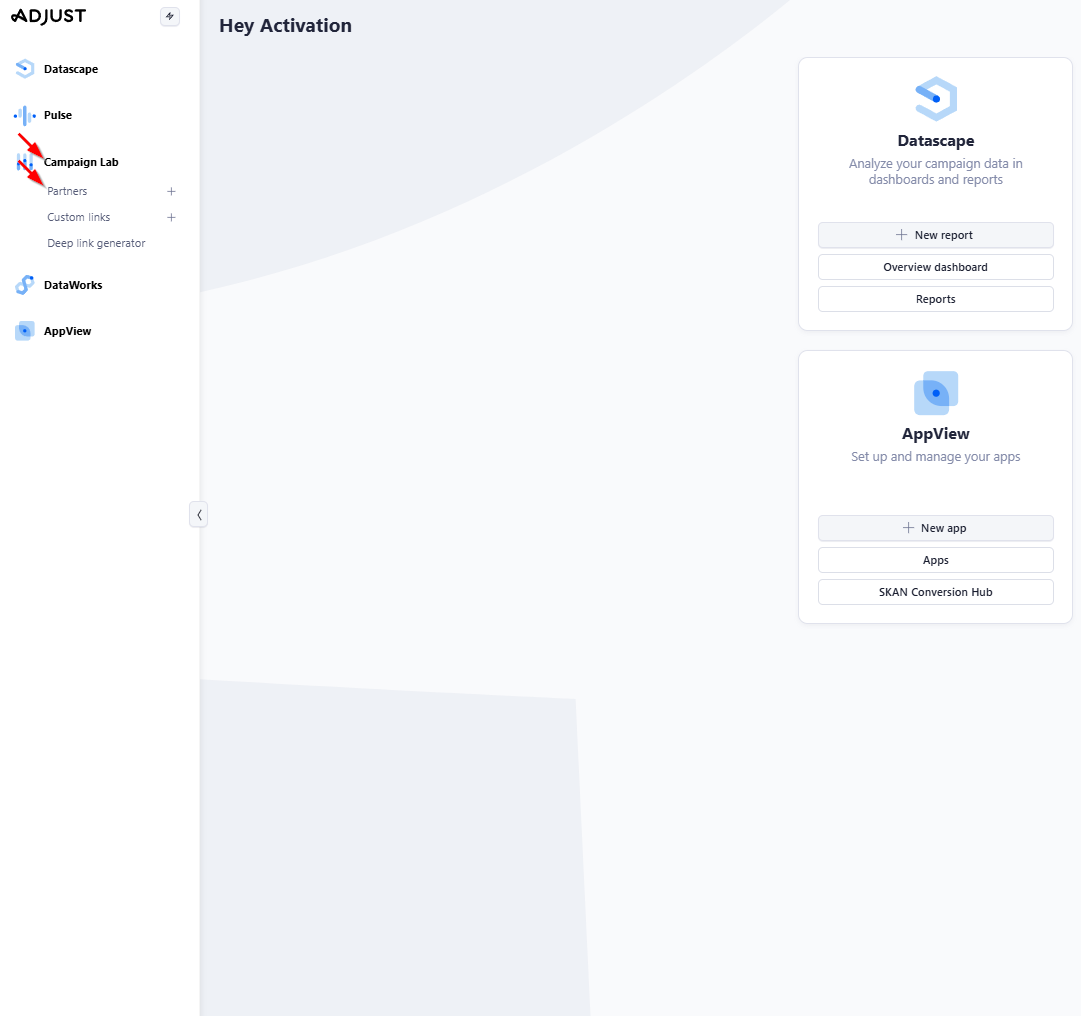
Open Partners

Sign in to Adjust, click Campaign Lab, and then Partners in the sidebar.

Campaign Lab Partners
2
Select Bidease

Click the Bidease partner.

Bidease partner
3
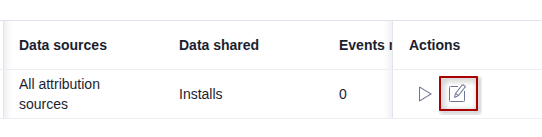
Open Data Sharing

Go to the Data Sharing section and click the Edit Settings icon.

Data Sharing section
4
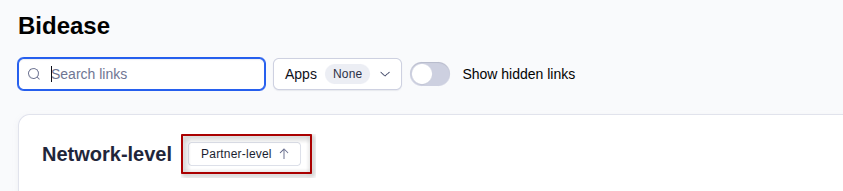
Open the partner-level settings

Go to the Partner-level section and click the Edit settings button in the window that opens.

Partner-level section
Edit settings button
5
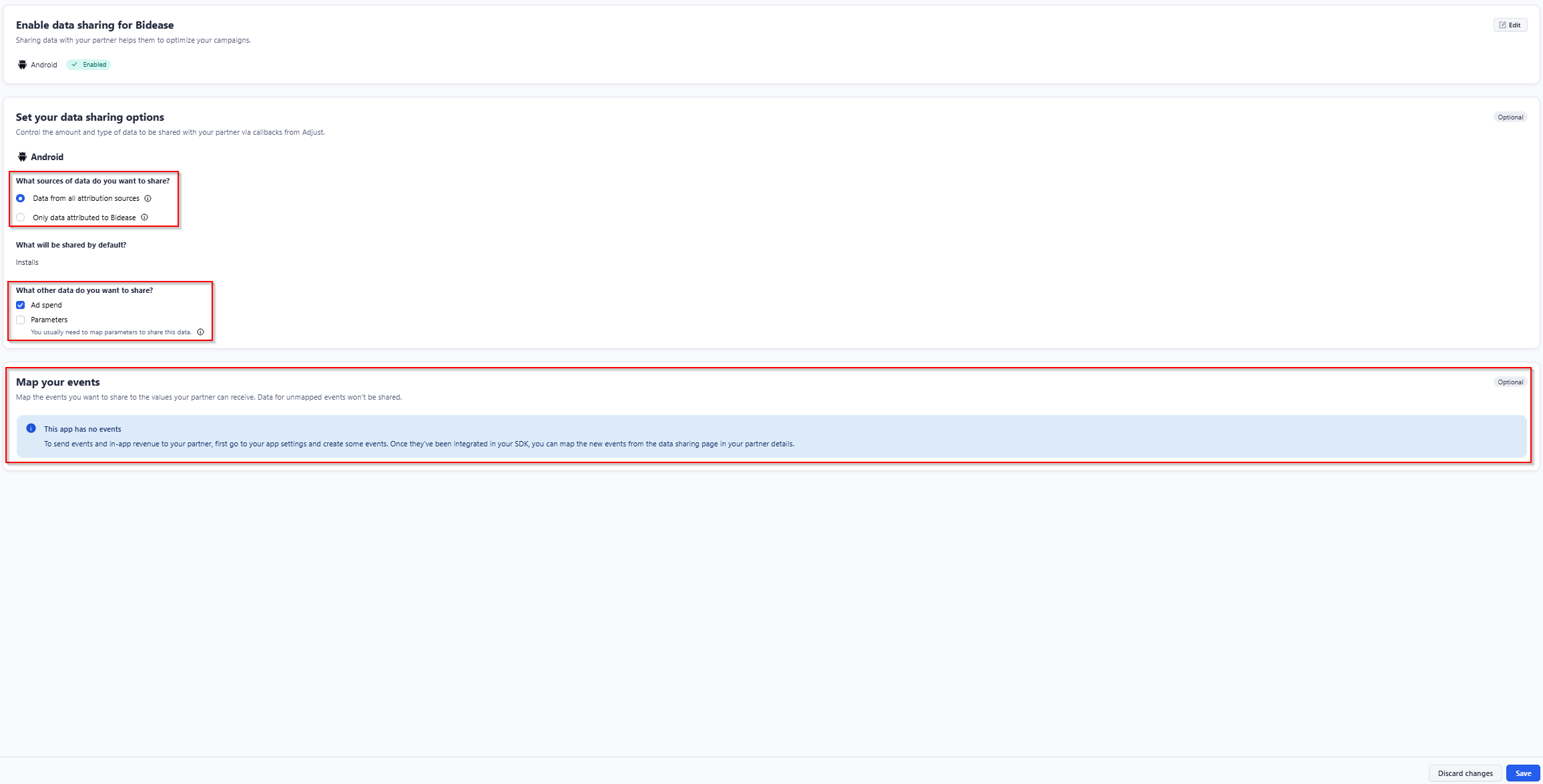
Configure data sharing

On this page, you can configure data sharing with Bidease.

ⓘ
We highly recommend sharing all non-attributed installs and event data with Bidease, as it directly affects campaign performance.
Data sharing settings

In the Enable data sharing for Bidease block:

■
Click the Edit icon
■
Switch the toggle to Enabled

In the Set your data sharing options block:

■
Choose Data from all attribution sources
■
Check the Ad Spend box if you want to share this data
■
Check the Parameters box if you want to share this data

If your app has in-app events configured, share all available in-app events or configure individual ones. For more information about data sharing, see the Adjust documentation.

In-app events sharing
6
Save

Once you have completed the configuration, click the Save button at the bottom of the page.

bidease
Grow Your App with Ease
Questions? Contact your Bidease account manager
support@bidease.com

Was this article helpful?

That’s Great!

Thank you for your feedback

Sorry! We couldn't be helpful

Thank you for your feedback

Let us know how can we improve this article!

Select at least one of the reasons
CAPTCHA verification is required.

Feedback sent

We appreciate your effort and will try to fix the article